Projector Screen Sizes Dimensions Guide: How to Choose the Right Screen Size for Your Projector
You bought a projector, but are you still stuck choosing between a 100-inch and a 120-inch screen? If the screen is too small, you waste the projector’s picture potential. If it is too big, it may not fit the room, and the image will look dim. Xinyihui is a manufacturer focused on projector R&D and production, and our popular brand Magcubic already serves a large number of home users. Drawing on our product experience, this article looks at size, aspect ratio, distance, and brightness to help you pick the right projector screen. It also shows how to pair Magcubic projectors with different rooms and uses.
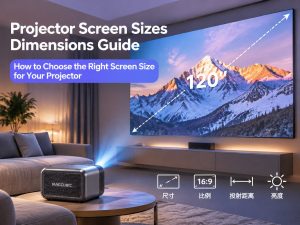
1. Understanding Projector Screen Sizes, Dimensions and Specifications
How is a projector screen size measured?
Projector screens are usually measured on the diagonal, which is the distance from one corner of the screen to the opposite corner. The unit is usually inches. One inch is about 2.54 cm. For example, a 100-inch screen is about 254 cm on the diagonal.
Two screens can both be 100 inches but have different widths and heights if their aspect ratios differ (16:9, 4:3, 16:10). So when you shop, check the aspect ratio and the real width and height of the viewable area, not just the diagonal.
What is the difference between screen size and projected image size?
- Screen size: the size of the viewable area of the screen. It is a fixed physical size.
- Projected image size: the size of the picture the projector throws. It changes with the throw distance, the zoom, and the throw ratio.
Ideally, the projected image fills the viewable area of the screen exactly, without spilling over and without leaving large empty borders. If the image is bigger than the screen, the edges land on the wall. If it is smaller, you can’t use the full size of the screen.
Why does the right screen size matter?
Screen size directly affects three things: how immersive the viewing feels, how bright and sharp the image looks, and whether the screen fits in your room. Each step up in size adds a lot of image area, and the same projector’s brightness is spread thinner. The right size balances immersion and picture quality.
2. Common Projector Screen Sizes Dimensions and Specs Chart
16:9 projector screen sizes and specs
16:9 is the standard ratio for movies, streaming, and gaming. It is also the most common choice for home projection.
| Diagonal | Width (cm) | Height (cm) |
| 60 inches | 133 | 75 |
| 80 inches | 177 | 100 |
| 100 inches | 221 | 125 |
| 120 inches | 266 | 149 |
| 135 inches | 299 | 168 |
| 150 inches | 332 | 187 |
4:3 projector screen sizes and specs
The 4:3 ratio is closer to a square. It is mostly used for teaching, office presentations, and older video content.
| Diagonal | Width (cm) | Height (cm) |
| 80 inches | 163 | 122 |
| 100 inches | 203 | 152 |
| 120 inches | 244 | 183 |
| 150 inches | 305 | 229 |
16:10 projector screen sizes and specs
16:10 is slightly taller than 16:9. It suits office work, design work, and presentations where you need to show more content.
| Diagonal | Width (cm) | Height (cm) |
| 80 inches | 172 | 108 |
| 100 inches | 215 | 135 |
| 120 inches | 258 | 162 |
| 150 inches | 323 | 202 |
Comparing 80, 100, 120, and 150-inch projector screens
The table below uses 16:9 and compares the image area of the four most common sizes. The larger the area, the thinner the same projector’s brightness is spread.
| Diagonal | Image area (m²) | Compared with 100 inches | Typical space |
| 80 inches | About 1.8 | About 64% | Bedroom, study |
| 100 inches | About 2.8 | 100% | Average living room |
| 120 inches | About 4.0 | About 144% | Large living room |
| 150 inches | About 6.2 | About 225% | Home theater, large space |
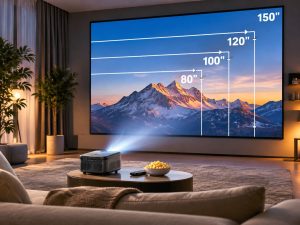
3. How to Choose a Screen Size Based on Room Size
What size screen works for a small bedroom?
For spaces of about 10 to 15 square meters, such as a bedroom, a study, or a small rental, we suggest 60 to 80 inches. The viewing distance is usually 2 to 3 meters. A bigger image forces you to keep turning your eyes, which tires them out.
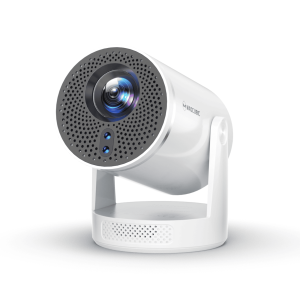
Our HY300 and HY310 series projectors are compact and work well in small rooms.
What size screen works for a living room?
In an average family living room (20 to 30 square meters), the viewing distance is usually 3 to 4 meters. 100 to 120 inches is the best balance. It feels immersive without making the sofa area feel crowded.
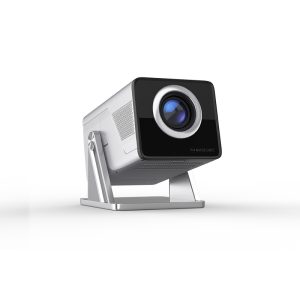
Our HY350MAX and HY450MAX are flexible and easy to place, which makes them an excellent choice for the living room.
What size screen works for a dedicated home theater?
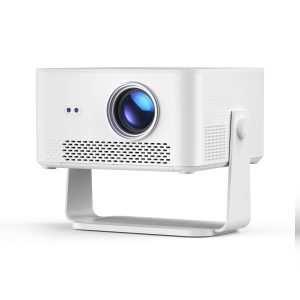
In a dedicated media room or a larger space, you can consider 120 to 150 inches or even bigger. But the bigger the screen, the higher the demands on projector brightness, resolution, and light control, so plan these together. With good light control, the M800 and M800GT, at 1200 ANSI lumens, are better suited to large images of 120 inches and above.
4. How to Calculate Screen Size and Viewing Distance
How do I calculate the width and height of a screen?
For 16:9, with diagonal D:
- Width ≈ D × 0.872
- Height ≈ D × 0.490
Multiply by 2.54 to convert inches to centimeters. For example, for 100 inches: width ≈ 87.2 inches ≈ 221 cm, and height ≈ 49.0 inches ≈ 125 cm.
What is a projector’s throw ratio, and how do I calculate throw distance?
Throw ratio = throw distance ÷ image width. The smaller the throw ratio, the bigger the image you can get from the same distance.
Throw distance = throw ratio × image width
| Image size (16:9) | Image width | Throw ratio 1.2 | Throw ratio 1.4 |
| 80 inches | 1.77 m | About 2.1 m | About 2.5 m |
| 100 inches | 2.21 m | About 2.7 m | About 3.1 m |
| 120 inches | 2.66 m | About 3.2 m | About 3.7 m |
| 150 inches | 3.32 m | About 4.0 m | About 4.6 m |
Throw ratios differ from model to model. The numbers above are examples only. Please check the specs of the specific product.
Recommended viewing distance for each screen size
As a rule of thumb, a comfortable viewing distance is about 1.0 to 1.5 times the diagonal of the image:
| Screen size | Recommended viewing distance |
| 80 inches | About 2.0 to 3.0 m |
| 100 inches | About 2.5 to 3.8 m |
| 120 inches | About 3.0 to 4.6 m |
| 150 inches | About 3.8 to 5.7 m |
The higher the resolution, the closer you can sit. If you sit too close when watching 1080P content, you may see individual pixels.
How do I choose a Magcubic projector based on throw distance?
You can follow three steps:
- Measure the maximum distance you can use between the projector and the wall (or screen).
- Check the throw ratio of the model you want on the Magcubic website, then use “throw distance = throw ratio × image width” to work out how large an image it can project.
- If the distance is on the short side, choose a model with more flexible image adjustment, and leave some extra room so the image is not right at the limit.
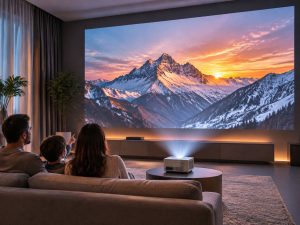
5. What Affects Your Choice of Screen Size?
Projector resolution and image clarity
At the same 100 inches, higher resolution gives a finer picture. A native 1080P projector looks good at 100 to 120 inches. If you want 150 inches or more, look at higher resolutions to keep the image sharp.
Projector brightness and ANSI lumens
The bigger the image, the lower the brightness per unit of area. If the same projector goes from 100 to 120 inches, the brightness per unit of area drops to about 70% of the original. At 150 inches, only about 44% is left. So:
- A well-darkened room at night: the brightness requirement is lower.
- A living room in the daytime or with window light: you need higher ANSI lumens, or a smaller image.
Room size and ambient light
The room’s width, ceiling height, and wall color all affect the real experience. For example, light-colored walls and weak curtains lower contrast. In that case, a slightly smaller image usually looks better than forcing a big one.
Projector placement and installation
Table placement, ceiling mounting, floor stands, and coffee-table projection each need different space and height. If you plan to ceiling-mount the projector, confirm that the throw distance falls within the projector’s usable range. If you place it on a table, make sure nothing blocks the lens.
6. What Screen Size for Different Uses?
What size screen is best for home movies?
We recommend 100 to 120 inches. This range balances immersion and brightness, and it is the first choice for most families.
What size screen is best for gaming?
When gaming, you usually sit closer and need to watch information at the edges of the picture often. We suggest 80 to 100 inches. If the image is too big, it is hard to keep track of things like health bars and mini-maps.
What size screen is best for outdoor movies?
For outdoor camping or backyard movies, you can use a portable or inflatable screen of 100 to 150 inches. Use it only after dark, and think about wind and how to secure the screen. Outdoors there is no wall to reflect light, so brightness matters more. Keep the size on the modest side.
What size screen is best for everyday family entertainment?
For everyday variety shows, short videos, and kids’ cartoons, 80 to 100 inches is enough and flexible. The demands on brightness and space are also lower.
7. Magcubic Projector Recommendations: Choosing a Model for Each Screen Size and Use
Xinyihui’s product lines cover different brightness levels, features, and uses. The table below summarizes the key specs of four main models. “Suggested image size” is our reference based on brightness. Real results depend on how dark the room is.
| Model | Native resolution | Brightness | Key features | Suggested image size |
| M800 | 1080P | 840 ANSI lumens | Fully sealed optical system | 100 to 120 inches |
| M800GT | 1080P | 840 ANSI lumens | Google TV, upgraded brightness | 100 to 120 inches |
| HY450GT | 1080P | 800 ANSI lumens | Google TV, auto focus | 100 to 120 inches |
| HY350MAX | 1080P | 500 ANSI lumens | Android 14, auto keystone correction | 60 to 100 inches |
8. Common Mistakes When Choosing a Screen Size
Choosing a screen that is too big for the room
Before you buy, measure the wall width, the ceiling height, and the space available for installation. Don’t let the screen fill the whole wall, and don’t pick a size that cannot fully unroll because the ceiling is too low.
Ignoring the projector’s throw distance
Every projector has a throw distance range. If the room is not deep enough but you want an image over 120 inches, you may not be able to project it at all, or you may need a model with a smaller throw ratio.
Ignoring brightness and ambient light
Looking only at size and not at brightness is the most common mistake. A big image with an underpowered projector looks washed out, and the contrast drops, which ruins the experience.
Choosing the wrong aspect ratio
If you watch 16:9 video on a 4:3 screen, you get black bars above and below. If you show a 4:3 presentation on a 16:9 screen, you get empty space on the left and right. Pick the ratio based on the main type of content you watch.
9. How to Match the Right Screen Size to Your Magcubic Projector
Choose a screen based on the image sizes the projector supports
First check the recommended image size range of the model on our website, then choose a screen within that range.
Decide the image size from the throw ratio and installation distance
Work backward from “throw distance = throw ratio × image width.” For example, if the sofa is 3 meters from the wall and the throw ratio is 1.2, the maximum image width is about 2.5 meters, which is about 100 to 110 inches.
Choose a projector based on ANSI lumens and viewing conditions
- 840 ANSI lumens (M800, M800GT) and 800 ANSI lumens (HY450GT): better for home viewing at 100 to 120 inches. The darker the room, the bigger the size you can choose.
- 600 ANSI lumens (HY350MAX): better for dark rooms and smaller images. In daytime or strong ambient light, we suggest a smaller image.
How auto focus and auto keystone correction improve big-screen viewing
The biggest hassle with big-screen viewing is having to adjust the focus and the picture shape by hand every time you move the projector. The auto focus on the HY450GT, and the auto keystone correction, obstacle avoidance, and screen recognition on the HY350MAX, cut down setup time. They help the picture become sharp and straight faster, which is especially good for families who often move the projector.
10. FAQ About Projector Screen Sizes
What is the most common screen size for a home theater?
The most common sizes are 100 inches and 120 inches, followed by 80 inches and 150 inches.
Which is better, a 100-inch or a 120-inch screen?
The smaller size is better if your space is limited, your projector’s brightness is average, or the room has strong ambient light. If the room is big enough, you can block the light, and you want more immersion, choose 120 inches.
How far should the projector be from a 100-inch screen?
It depends on the throw ratio. At a throw ratio of 1.2, about 2.7 meters. At 1.4, about 3.1 meters.
Does a bigger screen need a brighter projector?
Yes. The larger the image area, the thinner the brightness is spread. The bigger the size, the more we recommend a brighter projector and good light control.
Can a 1080P projector show a 120-inch image?
Yes, as long as the throw distance and brightness meet the requirements. But if you sit close, you may notice pixels. Sitting a bit farther back is more comfortable.
What should I look at when choosing a Magcubic projector?
We suggest focusing on five titles: native resolution, ANSI lumens, throw ratio and supported image sizes, convenience features such as auto focus or auto keystone correction, and whether the system (Google TV or Android) fits how you use it.
11. Summary: Choosing the Right Projector Screen Sizes and Dimensions for Your Projector
If you are picking a projector for a new home or living room, we invite you to explore the Magcubic series from Xinyihui. As a professional projector manufacturer, we offer popular models that cover different brightness levels, features, and uses. They help you find the right image size easily and turn your home into your own small cinema.
If you are a distributor, retailer, or brand owner, Xinyihui can also be your partner. We offer wholesale distribution, OEM services, ODM customization, and technical cooperation to help your business grow. We provide very competitive wholesale prices directly, with no middlemen. Contact us to learn more about working together and grow your projector business.